
Start with the opening tutorial.
Choose PLAY from the observatory-themed home screen. The opening tutorial explains the targets, a matching dart, the waiting row and the need to drop every board. Some tutorial taps advance an explanation before ordinary play resumes, so read the highlighted instruction rather than repeatedly clicking a dart.
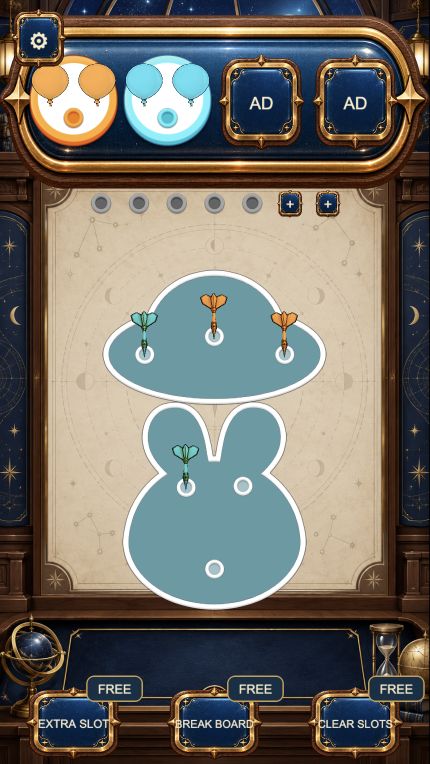
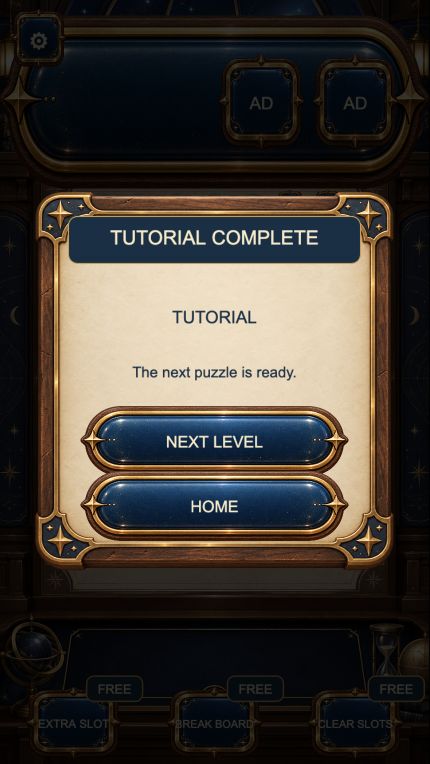
Our opening board had two boards and six darts, with two groups of three balloons above. Completing it displayed TUTORIAL COMPLETE and offered NEXT LEVEL and HOME. That is the tutorial we completed; it is not a claim that every later puzzle follows the same route.
- Identify the colours currently shown in the balloon targets.
- Choose an available dart whose colour matches one of those targets.
- Let the dart and board movement settle before choosing the next support.
- Continue until the remaining boards fall away and the result panel appears.
A match clears a target; a mismatch spends space.
A matching dart travels to the corresponding balloon group and pops one balloon. Three matches complete that group. The target area can then change, making a colour useful that was not useful a moment earlier. Re-read the top row after a group finishes.
A dart without a matching current target goes into an available waiting slot. The delivered game logic tries those stored darts again when a suitable target appears. The row is therefore temporary storage, not a discard pile. Keeping spare slots gives you room to uncover useful darts without immediately running out of choices.
Before taking an unmatched dart, identify what that move exposes. A purposeful move might free a matching dart or release a board. Taking several unrelated colours simply because they are visible can consume the same limited space without helping the next target.
Read the boards as well as the colours.
The darts also hold boards in place. In the tutorial, removing the remaining support let a board fall; removing one support from the last board made it rotate around the dart that remained. The next clickable position can therefore change after a move.
The reviewed gameplay code checks whether a higher board covers a dart. A dart that is visible around an edge may still be unavailable. If a selection only produces a small shake, look for an accessible support elsewhere and allow the physics to settle. Repeated clicks do not create a legal move.
The level setup shuffles colour assignments, so copying a fixed sequence of screen coordinates is less useful than following the target-and-space decision above. Compare your board with the capture and plan from the colours and supports actually in front of you.
Finish the tutorial before relying on extras.
We completed the opening tutorial by choosing its ordinary matching darts and releasing both boards. We did not use EXTRA SLOT, BREAK BOARD, CLEAR SLOTS or the AD-labelled target positions. Those controls are separate from the basic matching loop; their labels do not establish reward availability in every browser.
For the next puzzle, begin with the same questions: which colour can I use now, which dart will become accessible, and how much waiting space will remain? A later board can require a different order even when it uses the same colours.
How we checked this guide.
On 25 October 2026 we reviewed the currently delivered gameplay scripts and completed the opening tutorial through the catalog player using desktop clicks at 907 × 828. The captures omit the surrounding toolbar and empty side margins. Code review confirmed the target size, waiting-space handling, colour shuffling and board-cover checks.
We have not completed every level, tested a physical touchscreen, verified reward delivery or checked progress after a reload. Keep using the same browser and player entry when progress matters.
For the scope of our guides and corrections, read our editorial approach. If your screen behaves differently, send the player link and steps in a game-specific report.