
The loop that pays for everything.
Every coin in the game comes from one simple cycle. Learn it first and the rest follows:
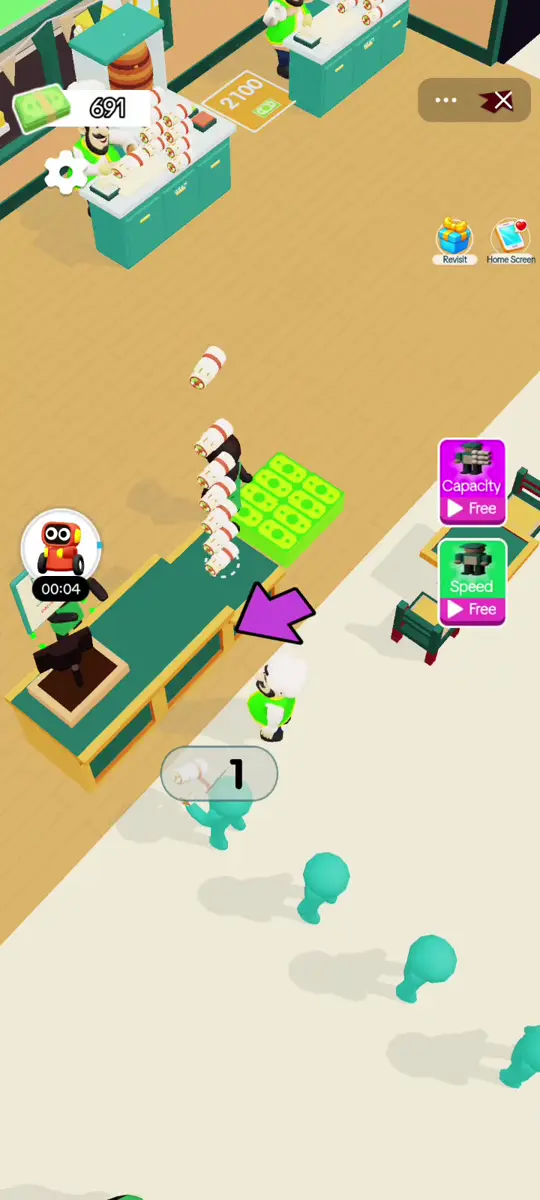
- Pick up wraps at the shawarma station, where the cook stacks them.
- Carry them to the packing counter. Customers queue there and are served from whatever is on the counter.
- Collect the cash. Paying customers leave green piles of bills by the counter and the tables. Your balance only goes up when you walk over a pile.
- Spend it on the floor tiles that unlock new tables, counters and rooms.
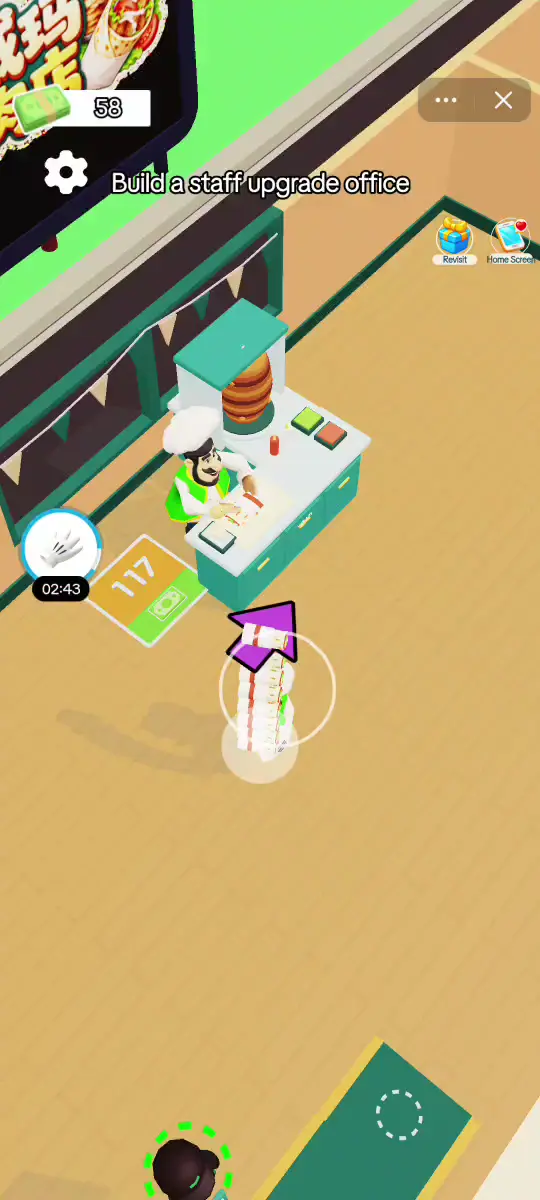
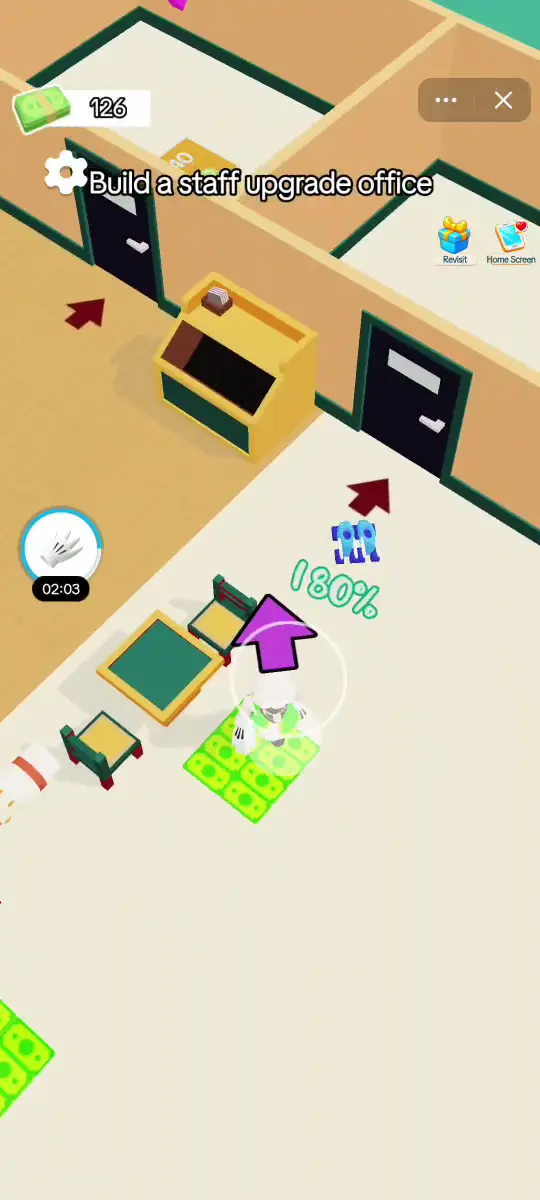
When the stack in your arms reaches its limit, a MAX label appears over your character. Deliver what you have before going back for more.
Building: you can pay in instalments.
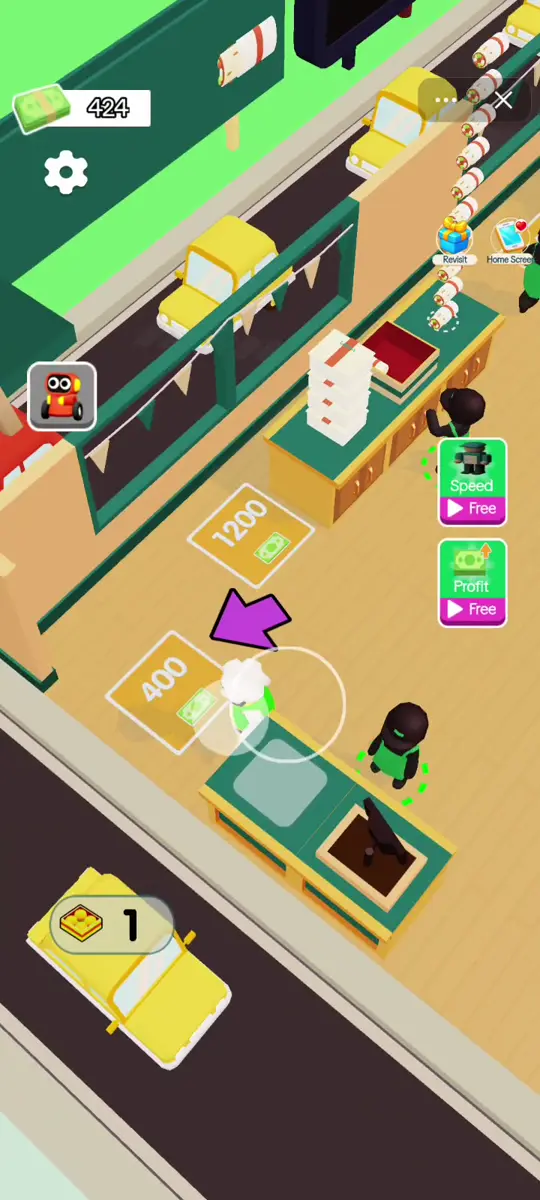
Every new item starts as a tile on the floor with a price. Stand on it and your money pours into it, a little at a time, until the item appears or you run out of cash.
This is the most useful thing to know early on: you don’t need the full price. If your money runs out part-way, the tile keeps what you have paid and shows the amount still due. In one of our games, a 1,200 tile took all 1,046 in hand and still showed 154 left to pay, ready to finish once more cash came in.
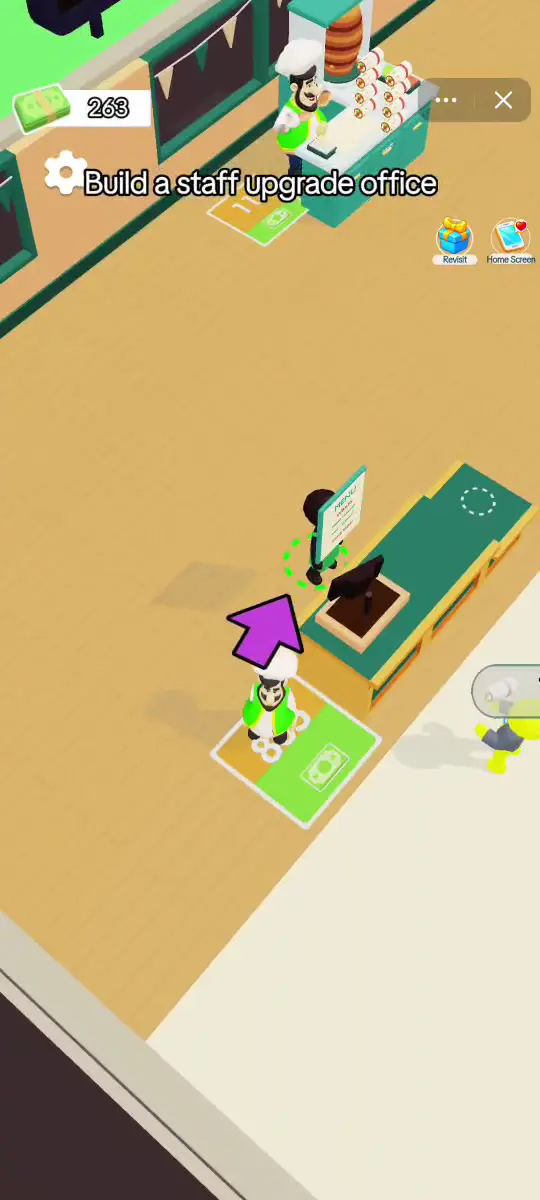
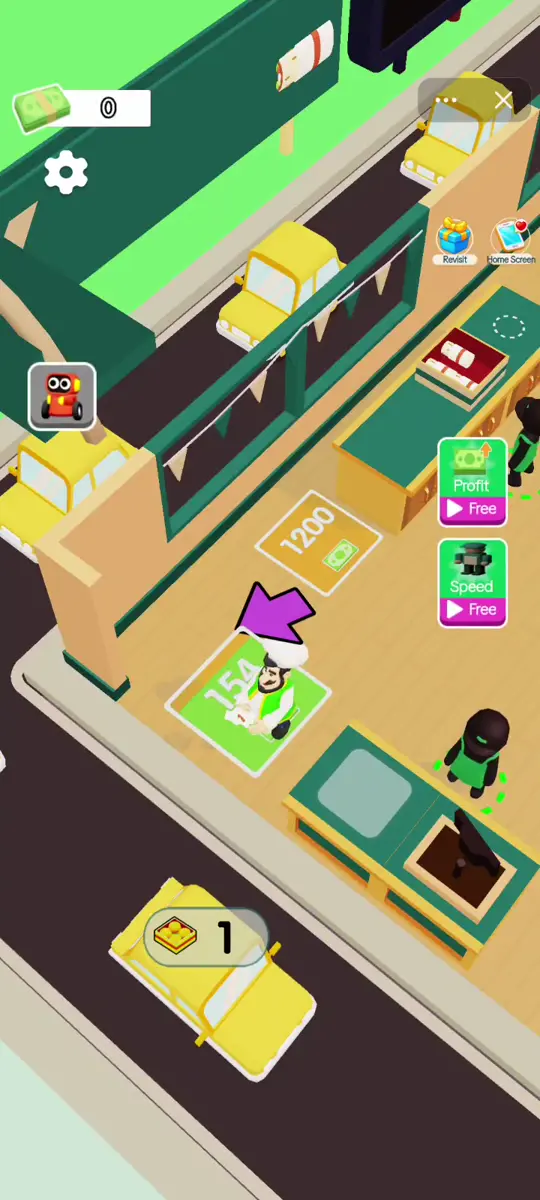
Because you can pay in pieces, it is usually better to put spare cash into the next useful build than to save up while standing still.
What to build, and when.
A task line at the top of the screen always names the next goal, and an arrow on the floor points to it. Following it is a sensible default. In our game the bigger goals arrived in this order: a staff upgrade office, then a player upgrade office, then a drive-thru counter. Between them, add tables and counters as you can afford them.
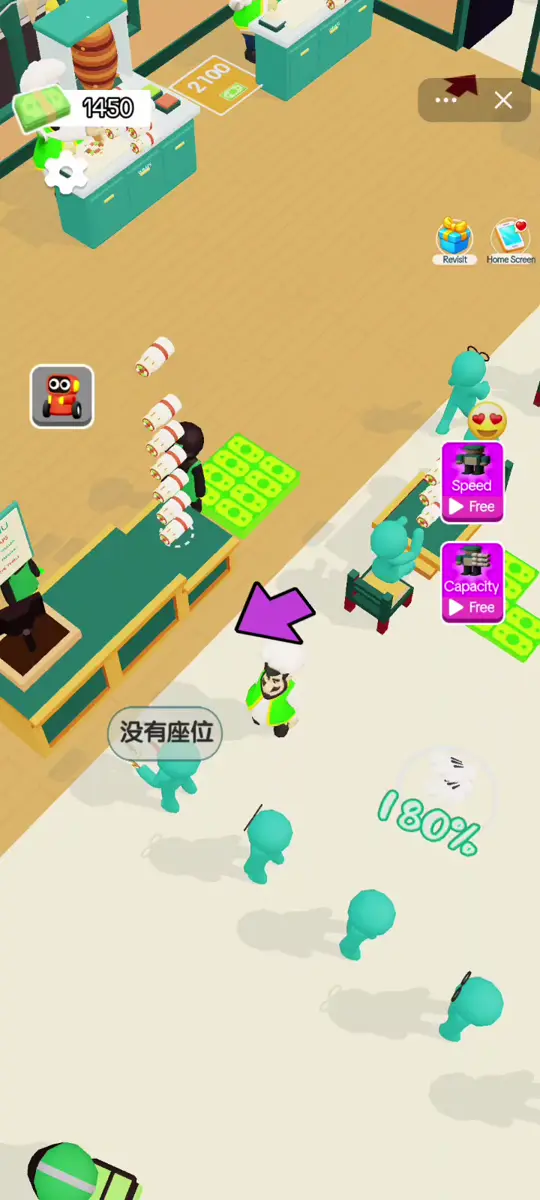
Tables: watch for “No seats”.
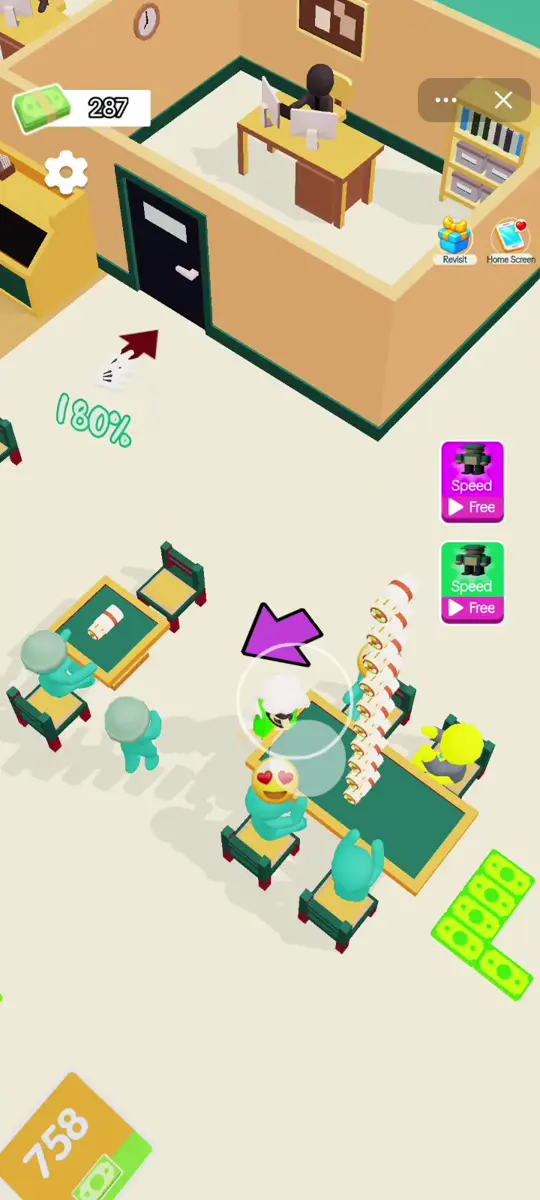
When customers have their food but can’t find a seat, a “No seats” bubble appears above them. That is your signal that seating is holding the shop back. Long four-seat tables fill up fast once the restaurant is busy.
Staff: let them do the carrying.
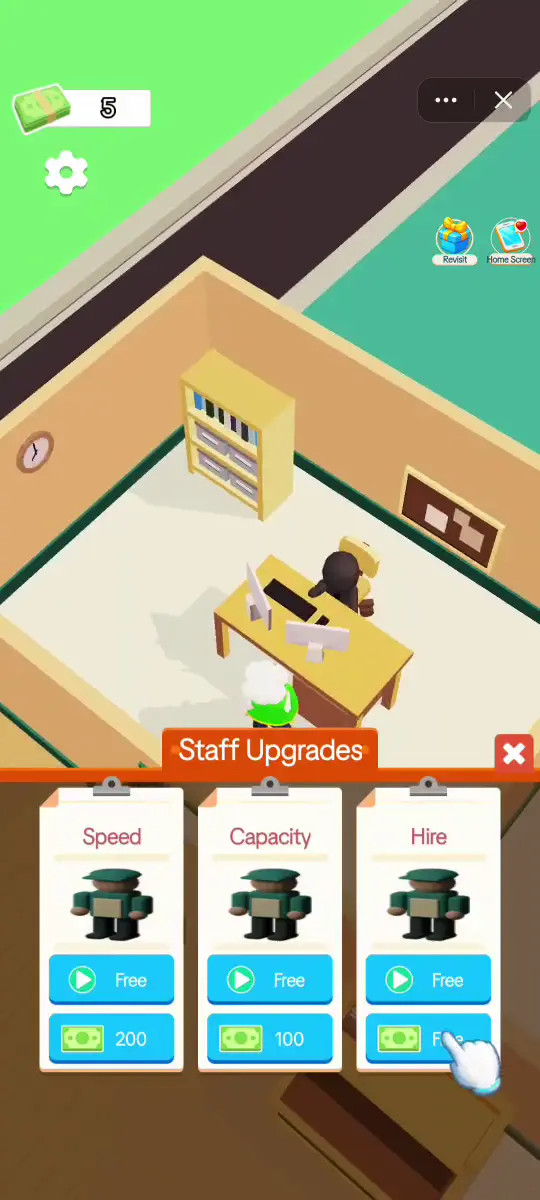
Early on you run every wrap yourself. Staff change that: they carry wraps from the stations to the packing counter on their own, which frees you to collect cash and pay for the next build. The staff upgrade office offers three upgrades: Speed, Capacity and Hire. Each can be bought with cash or, through the Free button, by watching a short video.
Drive-thru: a second line of customers.
The drive-thru counter brings cars to a window outside, each with its own order. It adds customers without needing more seats, so it is a strong build once your dining room is full.
Quick tips.
- Never leave the packing counter empty; an empty counter means a stalled queue and no new cash.
- Sweep the cash piles often. Money on the floor can’t pay for anything.
- Put spare cash into the next tile straight away. Partial payments are kept.
- React to “No seats” with tables, and to a long queue with more wraps on the counter.
- Hire staff early so your own time goes into collecting and building, not carrying.
- The Free boosts on the right of the screen (Speed, Profit, Capacity) are optional; use them when a short video is worth it to you.
Questions players ask.
Where can I play Shawarma Shop Tycoon?
Shawarma Shop Tycoon is a TikTok mini game published by DelionPlay. Open TikTok and search for Shawarma Shop Tycoon to play; there is nothing to install.
Do I need the full price before I can build something?
No. Stand on a price tile and your money flows into it until you run out. The tile keeps the amount you have paid and shows what is left, so you can finish paying later.
What does the “No seats” bubble mean?
A customer has their food but nowhere to sit. It is the game telling you seating has become the bottleneck, so the next tables you build will pay off quickly.
How do I make money faster?
Keep the packing counter stocked so the queue keeps moving, walk over cash piles often because money only counts once you collect it, and hire staff so carrying wraps no longer takes all your time.
What do the Free buttons do?
Buttons marked Free with a play icon, such as Speed, Profit and Capacity, give a boost in exchange for watching a short video. They are optional; you can also pay for staff upgrades with in-game cash.
About this guide
Shawarma Shop Tycoon is published by DelionPlay. This guide is written from our own recorded play of the TikTok version, from the first counter to a restaurant with staff and a drive-thru; the screenshots and numbers come from those recordings. Updates can change prices and the order of tasks. If something here doesn’t match your game, let us know.